Running a handyman company in 2026 is a balancing act: one hand sorts loose screws while the other juggles estimates, texts from customers, and late-night invoice reminders. Paper planners and sticky notes simply can’t keep pace with today’s on-demand expectations. Mobile apps, however, can. The right digital stack turns a one-truck operation or a five-van crew into a coordinated, profitable machine. Below, we break down the best apps for handyman business owners who want to tighten scheduling, speed up payment, and free up evenings that used to disappear under a mountain of paperwork.
What “Best” Really Means for a Handyman App

“Best” isn’t code for “most features” or “highest price tag.” The best app for a handyman business needs to tick four boxes:
Remove friction for techs in the field (fewer taps, offline mode).
Give owners real-time visibility into jobs, cash flow, and customer history.
Integrate or at least export neatly so you’re not copy-pasting data.
Offer pricing that scales from solo operator to growing staff without surprise hikes.
Keeping those criteria in mind, let’s look at five standout tools you can start using this quarter.
Field Complete: All-in-One Workflow Powerhouse
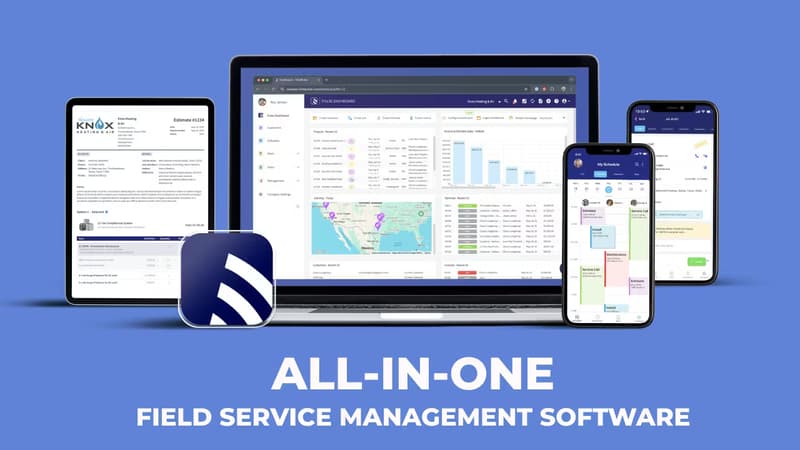
If you’re tired of hopping between five separate apps for scheduling, estimates, and invoicing, Field Complete feels like a breath of fresh air. The platform markets itself as handyman software, and it lives up to the label by covering the entire lifecycle of a job - from the first phone call to the final card swipe.
Why it works:
Unified board. A drag-and-drop calendar sits next to a Kanban-style job tracker, so dispatch can see who’s free, and techs know where they’re headed next.
Mobile muscle. Offline mode lets techs pull up checklists and capture signatures even in basements with no cell signal.
Estimate-to-invoice in two taps. Templates draw from a price book, add markups automatically, and convert to invoices without retyping.
Flexible payments. Cards, ACH, Apple Pay, or Google Wallet right on the technician’s phone accelerate cash flow.
Pricing Snapshot
Field Complete keeps buzzword bingo to a minimum: there’s a free-forever plan for up to 10 users and paid tiers that start at $29.99 per user/month when you outgrow the basics. Because the free level is generous, many owners test-drive the system during the busy season without worrying about commitment.
Best Use Case
Owners who want a single pane of glass rather than a toolkit of disconnected apps will appreciate how quickly Field Complete replaces whiteboards, spreadsheet price lists, and manual invoice templates.
QuickBooks: The Accounting Backbone That Plays Well With Others

No surprise here - QuickBooks still dominates small-business accounting software, and for good reason. Think of it as the engine room of your financial ship.
What stands out:
Bulletproof bank feeds. Syncs with nearly every major U.S. bank; transactions land daily.
Job costing that makes sense. Tag each expense or supplier bill to a specific work order to see real margins, not guesses.
Ubiquitous integrations. Field Complete, Housecall Pro, Jobber, and most other field apps push invoices and payment data straight into QuickBooks, so you reconcile once.
Pricing Snapshot
The Simple Start plan runs $35/month, but Intuit runs continual promotions that drop the first-year price below $20. Upgrading to Essentials ($60) unlocks bill pay and time tracking - handy when subcontractors join the mix.
Best Use Case
If you already have an accountant, chances are they’re living inside QuickBooks. Pairing QuickBooks Online with any of the field apps below keeps your tax prep smooth and avoids double entry.
Joist: Quote-to-Payment Simplicity for Small Teams

You simply need estimates and invoices, and not the overhead of a full dispatch board. Joist scratches, which itch like a laser on paperwork that seals deals.
Highlights:
Polished estimates. Itemized materials, labor, markups, and your logo - all formatted cleanly on mobile.
Sign off in seconds. Clients approve right from their phone; no printing, scanning, or ghosting.
Multiple payment methods. Stripe and PayPal integrations mean you get paid the moment a job wraps.
Caveats
Joist intentionally avoids complex scheduling or CRM features. If you need route optimization or recurring service plans, you’ll look elsewhere.
Best Use Case
Solo handymen who win jobs primarily through referrals and don’t need heavy-duty dispatch tools can run their business end-to-end inside Joist.
Neighborly: Lead Generation Without the Race to the Bottom
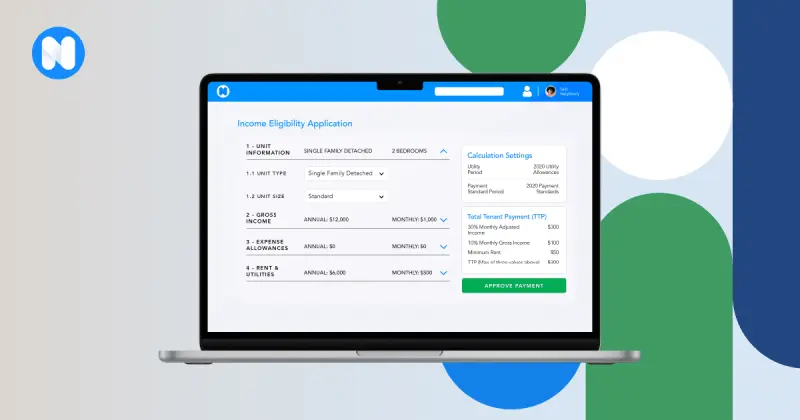
Tired of marketplaces where you pay $50 for a lead that five other contractors also chase? Neighborly limits the number of vendors per category inside each zip code, so you’re not in a race to slash prices.
Key benefits:
Pre-qualified requests. Homeowners answer detailed questions before the lead hits your inbox, reducing tire kickers.
Partnership ecosystem. Cross-referrals with plumbers, electricians, and cleaners inside the same platform create a mini-network.
Set-and-forget budget. You decide how many leads you want each month and adjust seasonally rather than reacting job by job.
Cost Considerations
Neighborly is pay-per-lead, but you cap your monthly spend. The per-lead fee varies by region and trade; handymen report $15-35 on average.
Best Use Case
Newer operators who need to fill gaps between repeat clients can use Neighborly to maintain a steady pipeline without pouring money into broad advertising.
Housecall Pro: Premium Field Management and Customer Engagement
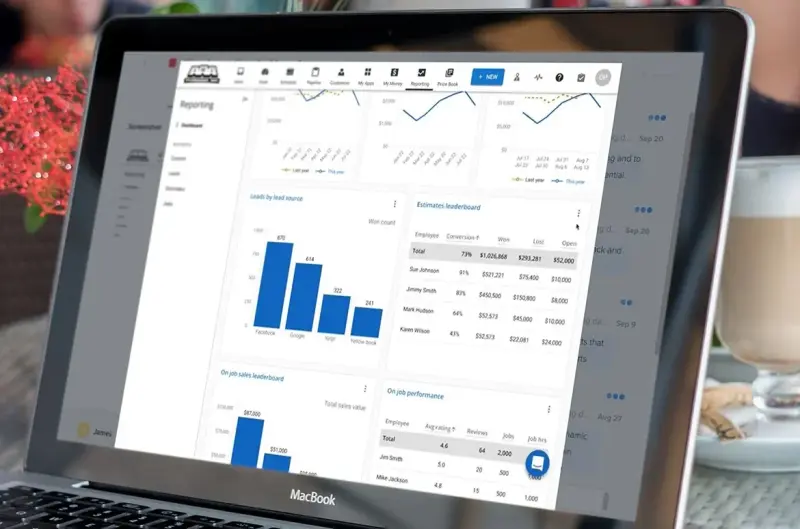
Housecall Pro started as a simple job scheduler; in 2026 it’s an enterprise-grade platform packed with CRM, marketing, and payment tools.
Standout features:
Customer text reminders will automatically discharge 24 hours prior to arrival, reducing no-show rates.
Consumer financing options let larger repair projects close faster; Housecall handles the credit check behind the scenes.
Real-time GPS on every work order: office staff see exactly when a tech will finish and can stack the next job intelligently.
Pricing Snapshot
The Basic plan is $69/month for one user; the most popular “Grow” tier (five users) hits $199 but adds postcard and email marketing. It’s pricey, but many owners offset the cost with higher job volume and upsells.
Best Use Case
Teams that want marketing automations, like seasonal tune-up campaigns or “we noticed it’s been six months since your last repair” emails, will find Housecall’s built-in CRM worth the premium.
Putting It All Together: Building Your Ideal App Stack
No single app nails every scenario. Many profitable handyman companies pair:
A field tool (Field Complete or Housecall Pro) + QuickBooks for accounting.
Joist for fast estimates when the full team app feels like overkill.
Neighborly to backfill the schedule during slow weeks.
When comparing, focus on:
Data hand-offs: Does your field app sync invoices to QuickBooks automatically?
Mobile usability: Have each tech test the app on their own phone model before you commit.
Learning curve: A feature-rich platform is useless if half the crew refuses to open it.
The real magic happens once you connect the dots between the best free software for handyman business. Imagine a morning where a Neighborly lead flows straight into Field Complete, the job gets dispatched, the technician collects payment on-site, and QuickBooks closes the books without you retyping a single customer name.
By thinking of your software as a relay team rather than a collection of solo runners, you create a workflow that feels seamless to customers and staff alike. Start small, integrate each piece deliberately, and you’ll build a stack that grows with your business instead of weighing it down.
Rolling Out New Software Without Derailing Your Week

Switching apps mid-season can feel like swapping a wrench while the pipe is still leaking. Use these tactics to keep headaches low:
Start With a Pilot Job
Choose a low-stakes work order - changing door hardware or patching drywall - and run it end-to-end in the new system. Have the tech snap before-and-after photos, clock labor time, and capture payment so you can verify every step. Document what tripped people up: was it finding the parts list or sending the invoice? Correct those snags before you roll the software out wider. A single successful pilot builds confidence faster than any sales demo.
Migrate in Batches
Avoid the temptation to import ten years of customer history on day one. Instead, set a “clean slate” date, say the first of next month, and schedule everything after that inside the new app. Older jobs remain in the legacy system until they’re finished, which keeps dispatch from double-booking and gives accountants a clear cut-off for reconciliations. When the dust settles, you can bulk-import archived data at your leisure.
Train in 15-Minute Bursts
Short, focused micro-lessons work better than marathon sessions. Record a screen-share showing how to update job status, then text the clip to the crew so they can watch on break. Follow up with a two-question quiz - most apps have built-in knowledge checks - to be sure the steps stuck. Reinforce the skill the next morning by asking each tech to update their first job while you watch. Repetition in real work cements the habit.
Track Early Wins
Create a simple scoreboard: average days-to-invoice, first-time fix percentage, or miles driven per job. Post the numbers on the shop whiteboard every Friday and celebrate improvements, even small ones. According to a Forrester Consulting study commissioned by Microsoft, service managers who gained visibility into technician productivity, work order status, and other key metrics were able to discover and address gaps to meet monthly targets. When people see the payoff - fewer windshield hours, faster paydays - they’re far more willing to master the next feature.
Keep the Momentum Going
Once the honeymoon period fades, schedule a 30-day “tune-up” call with the vendor’s success team. Bring a punch list of lingering annoyances; maybe the estimate template needs another tax field, or the mobile app times out too quickly. Most providers will tweak settings or suggest workflow tweaks that save you hours. Continuous, incremental refinement turns the software from “something new” into an invisible, dependable part of the business - exactly where you want it.
Final Thought: Choose Tools That Vanish Into the Background
The truly best app for handyman business owners is the one you stop noticing after a week because it just works. Whether that’s the free tier of Field Complete, QuickBooks humming quietly in the back office, or Neighborly dripping steady leads into your inbox, the goal is the same: spend more hours fixing what’s broken and fewer hours fixing your workflow. Test drive, measure, and keep what makes life easier - then get back to doing the hands-on work customers actually pay for.